

NMEA output
This guide explains how to configure the NMEA messages output by the GEOSTIX receiver over Bluetooth using the GEOSTIX APP.
Enable Expert Mode
Section titled “Enable Expert Mode”-
Open the Settings tab.
In the GEOSTIX APP, navigate to the Settings tab.
-
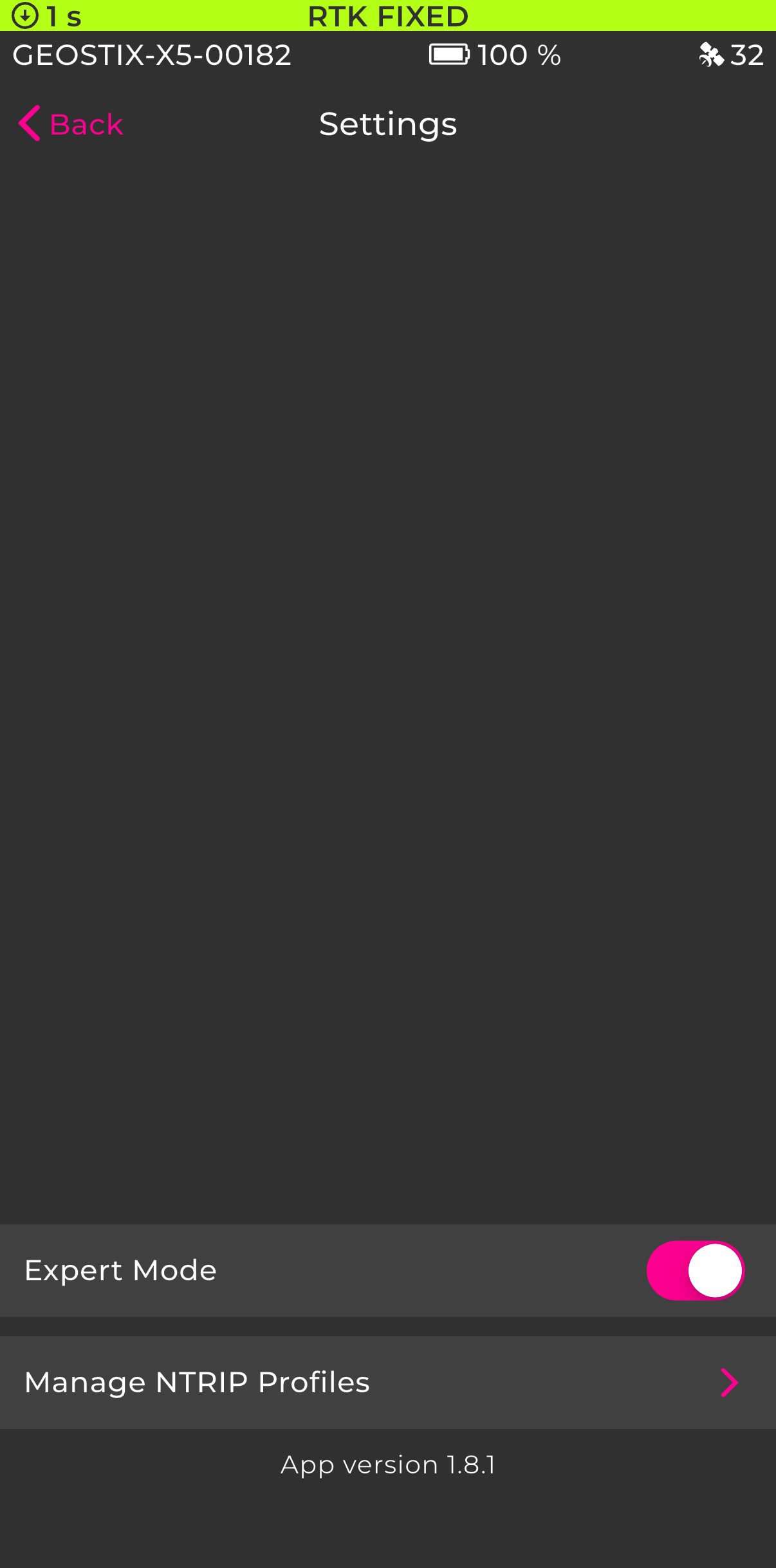
Enable Expert Mode.
Toggle the Expert Mode switch at the bottom of the screen. This unlocks advanced configuration options, including the NMEA output settings.
Configure NMEA output rates
Section titled “Configure NMEA output rates”-
Connect to your GEOSTIX.
From the app, connect to your GEOSTIX receiver. See the quick guide for help.
-
Open the NMEA Output screen.
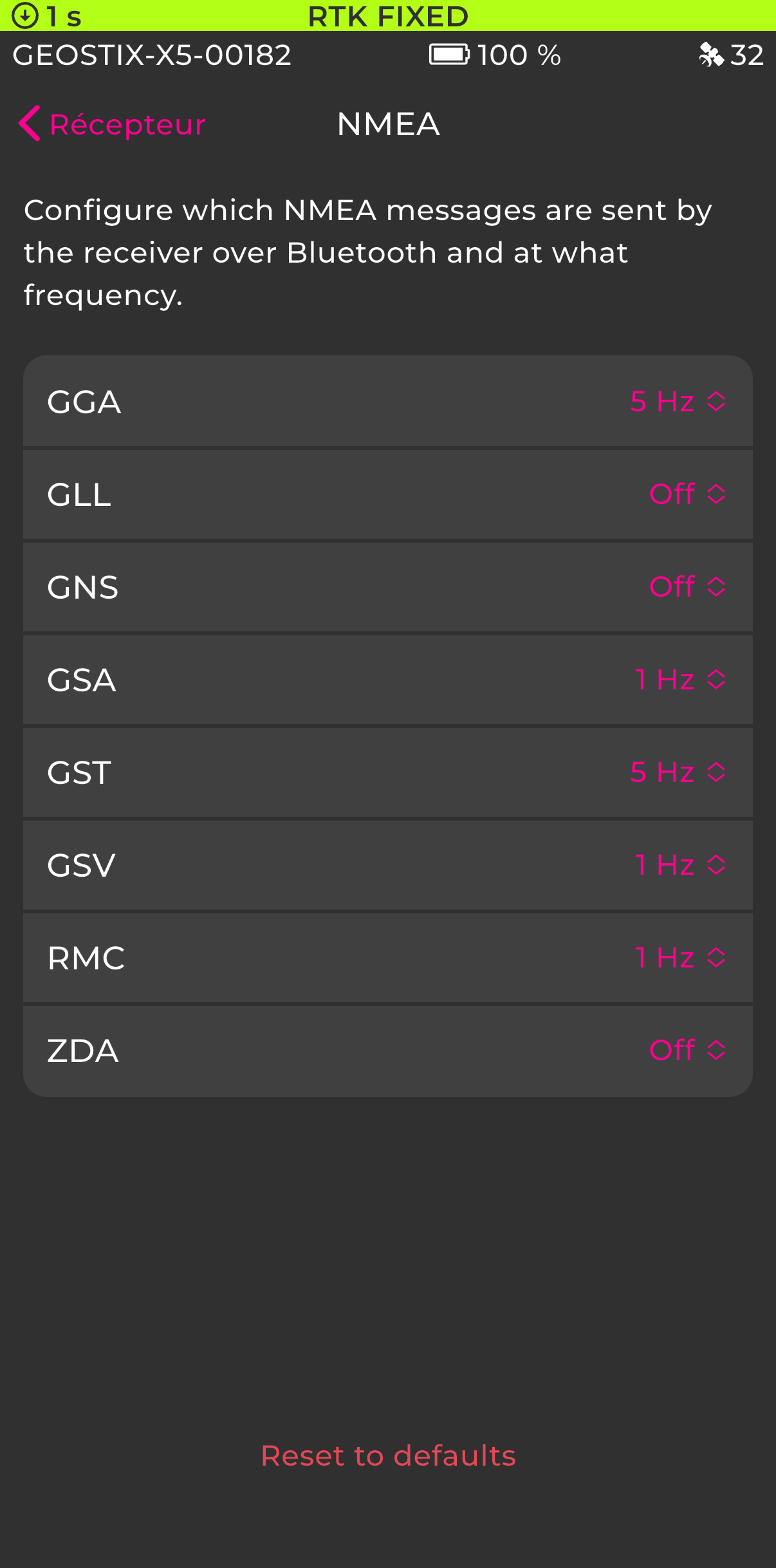
From the Receiver screen, tap NMEA Output. This screen lists all configurable NMEA messages and their current output rate.
-
Adjust the output rate for each message.
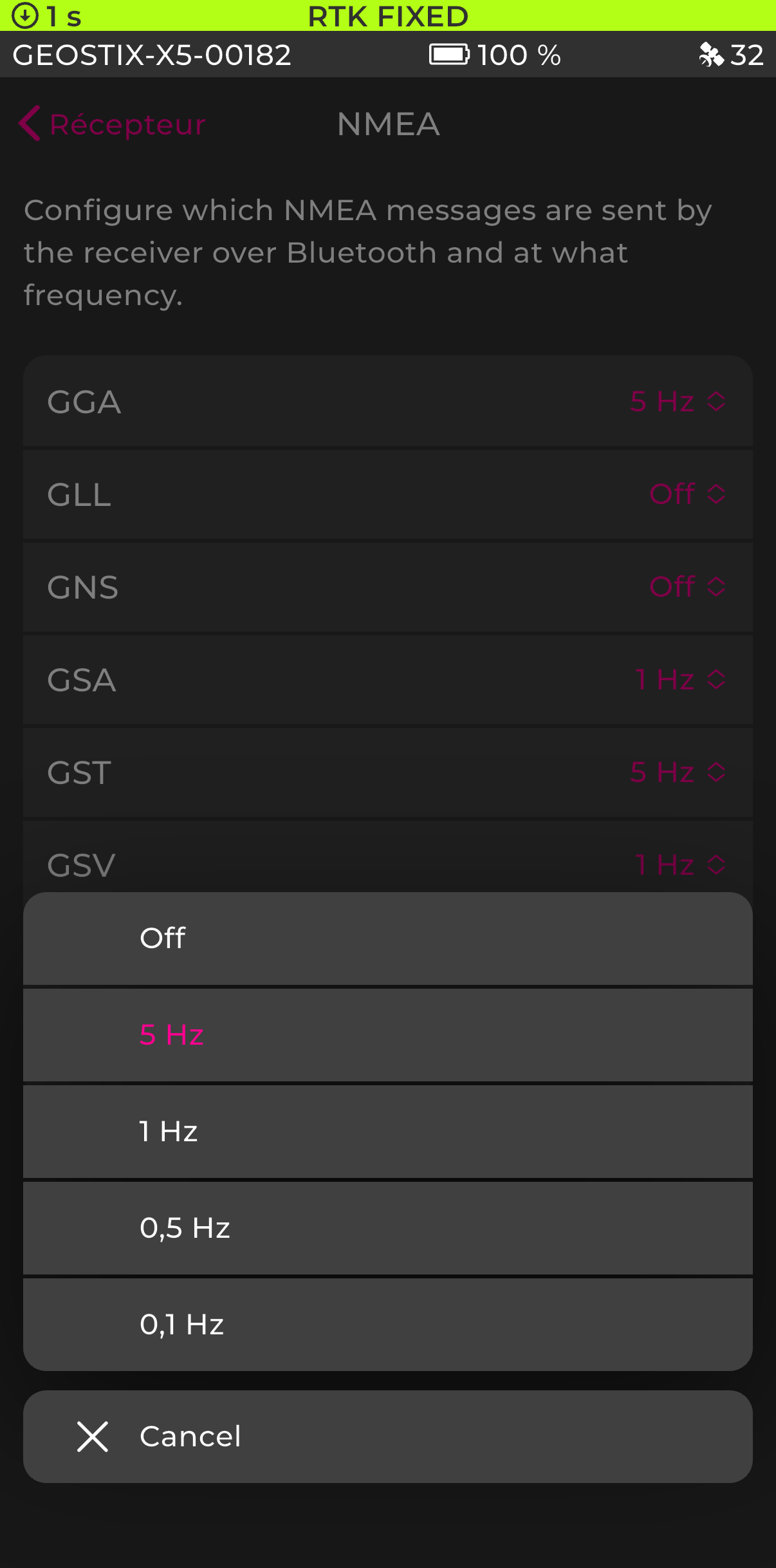
Tap the rate value next to any message to change it. Available rates are: Off, 5 Hz, 1 Hz, 0.5 Hz, and 0.1 Hz.
-
Reset to defaults (optional).
Tap Reset to defaults at the bottom of the screen to restore the factory NMEA output configuration.